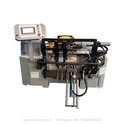
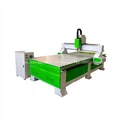
Ten problems and solutions that are likely to occur during the use of engraving machines.
Problem 1: When opening the software, the computer prompts "failed to open the card, please check the card".
Solution:
1. Check whether the driver of the board is installed, or replace the board with a PCI slot;
2. Reinstall the two data connection lines and check if there is any broken pin;
3. If there is a problem with the Weihong card, replace the card.
Problem 2: When opening the software, it prompts: three-axis alarm, initialization error signal.
Solution:
1. Check whether the two data lines between the computer and the machine are connected properly;
2. Check whether the fuse of the adapter board in the control box is burned out, and replace the fuse;
3. Check whether the power supply is normal.
Problem 3: Misalignment occurs during engraving, or the size is wrong.
Solution:
1. Check whether the path of the engraving software is correct or not;
2. Check the gap size of the screw rod and whether the fastening screw of the polished rod is loose;
3. Check whether the software parameters are set correctly.
Problem 4: When the X-axis travels for a certain period, the Z-axis does not lift the tool, but presses up to go down.
Solution:
1. Check whether the Z-axis motor is running normally, the power and the size of the drive current;
2. Check whether the Z-axis motor line is in poor contact or interrupted
3. Check whether the tool lifting distance is set properly.
Problem 5: The spindle motor does not rotate or reverses.
Solution:
1. Check the parameter settings of the inverter;
2. Whether the signal line of the inverter is reversed.
Problem 6: There is a smashing knife phenomenon.
Solution:
1. The power of the Z-axis motor is not enough, and the coupling is loose;
2. The current of the Z-axis driver is too small, or the signal line is wrongly connected
3. The data cable is not connected properly.
Problem 7: When the software is turned on, the axis is turned off.
Solution:
1. The problem of the driver or the poor contact of the output signal line of the computer;
2. The motor wire is in bad contact.
Problem 8: The machine is not powered on when it is turned on.
Solution:
1. Check whether the start button line is connected properly and whether the button is burned out;
2. Check whether the AC contactor is short-circuited or burned out.
Problem 9: When the button moves, the axis only goes in one direction.
Solution:
1. Check whether the data cable is normal and whether the data cable socket is plugged in properly.
2. Check whether the motor circuit is soldered or not.
Problem 10: The sending software cannot be opened normally, and the engraved things appear deformed.
Solution:
1. Reinstall the new system and software;
2. Check whether the X, Y axis screw rods and screws are loose;
3. There is a problem with the engraving path.